

Plan
Prepare for the future
A smooth, simple calendar for planning your days in detail. It works with Apple Calendar and Reminders, so your events stay where they are.
Calendar & Journal for iPhone. Coming soon to the App Store.
Surely not another
app?
A calendar shows what you meant to do. A journal shows what you did. Lifetime keeps both on one timeline, and your AI assistant can use them to help you decide what comes next.
One email when Lifetime launches. Nothing else.
Plan, record, reflect
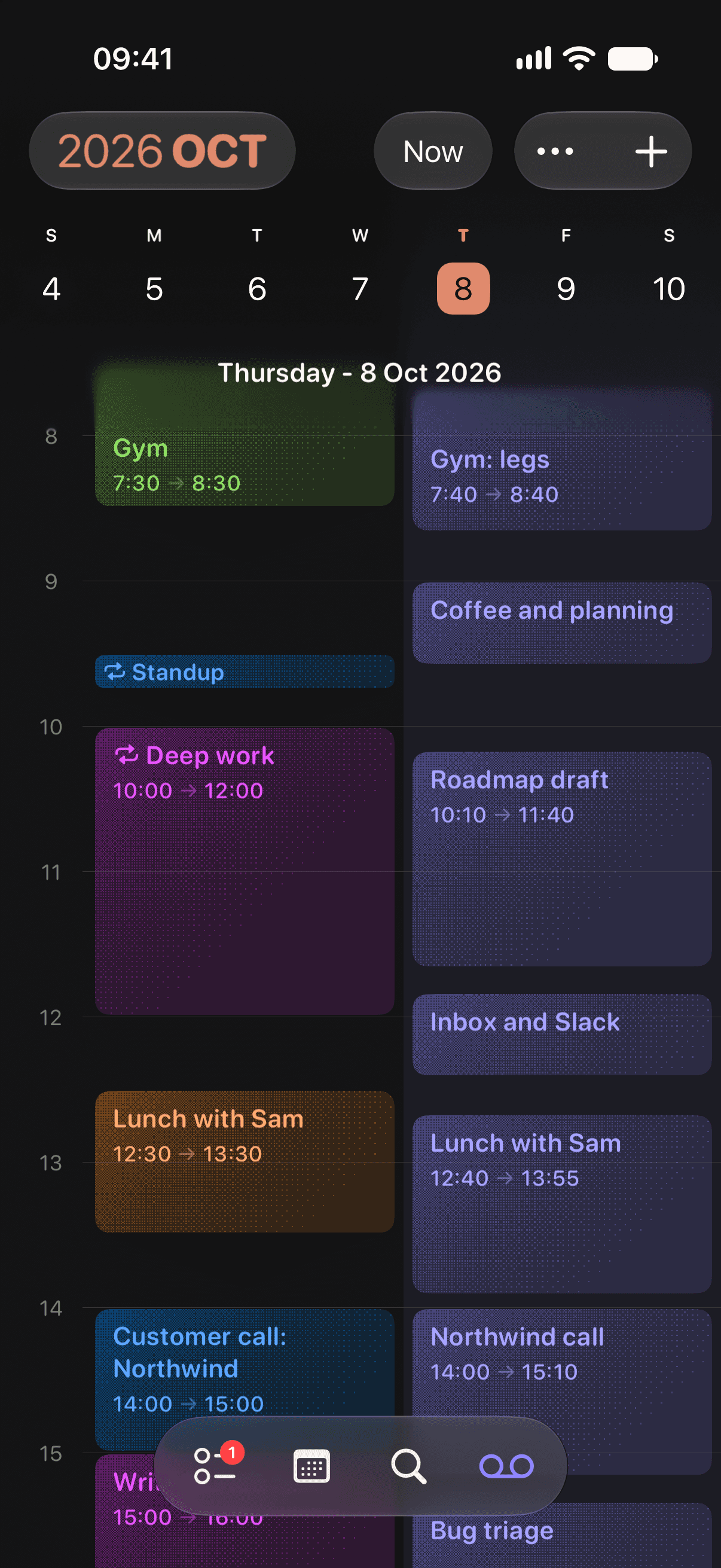
Every day has two lanes: what you planned, and what happened. Over time they become a clear view of where your time goes.
Plan
A smooth, simple calendar for planning your days in detail. It works with Apple Calendar and Reminders, so your events stay where they are.
Record
Start a focus session in one tap. The time shows in the Dynamic Island, and the journal entry writes itself. Log late if you forget.
Reflect
Tag your time by project, habit or person, and find your notes again. Sleep and workouts come in from Apple Health. There are no streaks, so a missed day breaks nothing.
Lifetime Plus
Your assistant knows what you tell it. With Plus, it also reads what you did.
$3.99 a month. The calendar, journal and focus sessions are free.
Lifetime is not affiliated with Anthropic or OpenAI.
Mostly reading: 18 hours, up every week. You went to the gym 12 times, and saw friends on 4 evenings. Your best-rested days follow the gym nights.
Private by default
Open the app and start. There is nothing to sign up for.
Events and reminders stay in Apple Calendar and Reminders. Your journal stays in your private iCloud.
Lifetime is paid for by Plus, not by your attention.
Nothing goes to an assistant until you connect one. Each feature tells you what it sends, and asks first.
The details are in the privacy policy.
You misremember your time, recording it changes it, and reflecting on it compounds. Lifetime's design follows findings that psychology keeps replicating.
Read the research